What Happens Between Clicking a Short Link and Reaching the Page?
A short link feels instant, but a precise sequence runs in between: DNS, a secure connection, one lookup, a 302 and a second request. Here is each step, and what LinkMint does (and does not do) during it.
28 January 2026 · 9 min read · updated 10 October 2026
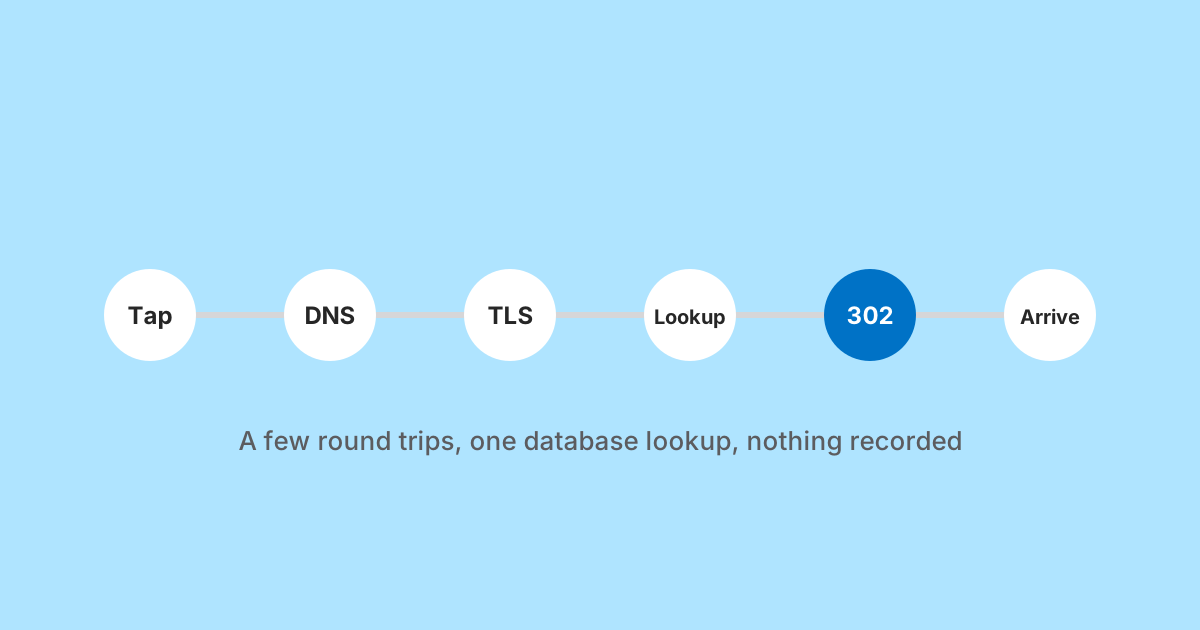
Someone taps a short link in a message. A moment later they are looking at a page on a completely different website. In between, a specific sequence of events runs, and almost all of it is invisible. Knowing that sequence explains a surprising number of things: why the first tap on a new domain can feel slower than the rest, why tracking parameters sometimes vanish, why a link preview can be fetched by nobody in particular, and what a link service could learn about you if it wanted to.
This walk through uses a LinkMint link as the example, because it is simple and every step can be described exactly. The general shape is the same for any redirect based short link.
Shared:      https://linkmint.org/k7Rmz
Destination: https://shop.example/spring/boots?utm_source=newsletter&utm_medium=email
Step one: the app decides what to do with the tap
Before any network request, whatever app holds the link makes a decision. A desktop email client usually hands the URL to your default browser. Many social and messaging apps open it in their own embedded browser instead. Some check the address against a safe browsing list first.
Some apps have already visited the link before anyone tapped it. To draw a preview card with a title and image, a messaging app or its server fetches the URL in the background. For a short link that fetch follows the redirect to the destination, which is how the card ends up showing the shop's product photo rather than anything from the short link service.
Step two: DNS finds the server
The browser has a hostname and needs an IP address. It asks a resolver, which is usually your operating system's cache, then your router or network provider, then the wider DNS system if nobody nearby has the answer. If the name was looked up recently, this costs nothing. On a cold cache it costs at least one round trip to a resolver, sometimes more.
This is one reason the very first click on an unfamiliar short domain can feel fractionally slower than later ones. Nothing about the link changed. The answer to "where is this server" simply had to be fetched once.
Step three: a secure connection is set up
With an address in hand, the browser opens a connection and negotiates TLS, the encryption behind https. The server presents a certificate for the short domain, the browser checks it was issued by an authority it trusts and that it matches the hostname, and both sides agree on keys. On a fresh connection, opening the TCP connection takes one round trip and a TLS 1.3 handshake adds one more (HTTP/3 runs over QUIC, which combines the two). A connection that is already open can skip all of it.
Encryption matters here for a practical reason. Until this point, anyone watching the network could see which hostname you were connecting to, but not the path. Once TLS is up, the code itself (k7Rmz) and the response that comes back travel encrypted, so an observer on the same Wi-Fi cannot read which link you followed or where it pointed.
Step four: the browser asks for the code
Now the actual request is sent. It is small: a method, a path and some headers.
GET /k7Rmz HTTP/2
host: linkmint.org
user-agent: (browser and operating system)
accept-language: en-GB,en;q=0.9
Depending on where the link was tapped and that page's referrer policy, a Referer header may also be present, naming the page the link was on. If the domain had set cookies earlier, the browser would send them too. LinkMint sets none on short link redirects, so there is nothing to send.
Step five: the server looks up the code
This is the only step where the short link service does any real work. It takes the code from the path and looks it up. There is one question to answer: does this code exist, and if so, may it be followed?
| Situation | What the visitor gets |
|---|---|
| Code exists and the link is active | A 302 redirect to the stored destination |
| Code does not exist (for example, a typo) | A not found page, with no redirect |
| Link disabled by a moderator after review | A notice page explaining the link is disabled, with no redirect |
That table is short on purpose. On LinkMint a link has no expiry date, no password, no click limit, no routing rules and no editable destination, so there is nothing else to evaluate. The destination stored when the link was created is the destination it will always have.
Just as important is what does not happen at this step. Nothing is written. No click counter is incremented, no timestamp is stored, the IP address that made the request is not recorded, and no cookie is set. The lookup reads one record and the server answers. Many link services do record a click here, and the well built ones send the response first and write afterwards so nobody waits. Not recording anything at all removes the question entirely.
Step six: the response is an instruction, not a page
The server replies with a status code and a Location header. There is no page to render and no body worth mentioning. It is one of the smallest useful responses on the web.
HTTP/2 302
location: https://shop.example/spring/boots?utm_source=newsletter&utm_medium=email
cache-control: no-store, max-age=0
The 302 status means "found, but look over there for now". It tells the browser to make a new request to the Location address and, without explicit caching headers saying otherwise, not to treat the answer as permanent. The cache header goes further and asks browsers and any proxies in between not to store the response at all. The practical effect is that every visit asks the server again, which matters for one reason in particular: if a moderator disables a link, the next visit gets the notice page rather than a remembered redirect. The companion piece on 301 and 302 redirects goes into why that choice matters.
Look closely at the Location value. The query string is exactly what was submitted when the link was created, byte for byte. LinkMint does not reorder parameters, re-encode characters, drop empty values or strip anything it does not recognise. That restraint matters more than it sounds, because UTM tags, signed download URLs and login callbacks all break if a single character changes.
Step seven: the browser follows the redirect
The browser reads the Location header and starts again for the destination: DNS for shop.example, a new TLS connection with that site's certificate, and a fresh GET request for /spring/boots with the full query string attached. From the destination's point of view, this is an ordinary visit that happens to carry UTM parameters.
One detail surprises people. The short link service is usually not what the destination sees as the referrer. When a browser follows a redirect, the request keeps the referrer of the original navigation, which is the page where the link was tapped, trimmed or removed according to referrer policy. If the link was tapped in an app, there may be no referrer at all. That is why tagging links with UTM parameters is more dependable than hoping the Referer header will say where traffic came from.
The other path: looking before you leap
Everything above assumes the person wants to go straight to the destination. Sometimes they do not. A short link hides its destination by design, and people are right to be cautious about tapping an address they cannot read.
LinkMint has a separate path for that. Put a plus sign in front of the code and the server returns an ordinary page instead of a redirect, showing the full destination address so you can decide whether to continue.
linkmint.org/k7Rmz     →  302, straight to the destination
linkmint.org/+k7Rmz    →  a page that shows the destination, no redirect
The preview request goes through the same DNS, TLS and lookup steps, but step six is different: instead of a 302 with a Location header, the response is a normal page with the destination written out as text. Your browser never contacts the destination unless you choose to click through. If you share short links with people who may be wary of them, telling them about the plus sign is a small courtesy that costs nothing.
Where the time actually goes
Exact timings depend on the network, the distance to each server and what is already cached, so any single number would be misleading. It is more useful to count round trips, because on a mobile connection the round trip, not the processing, is what you feel.
| Stage | Warm (recently used) | Cold (first visit) |
|---|---|---|
| DNS for the short domain | Usually none, answer is cached | One or more |
| Connection and TLS to the short domain | None if the connection is reused | One or two |
| Request, lookup and 302 | One | One |
| DNS and TLS for the destination | Often none | Two or more |
| Request for the destination page | One | One |
The lookup itself, the part people tend to worry about, is a small fraction of one round trip. The extra cost of a short link is mainly the additional request and response in the middle, plus connection setup to the short domain when it is not already warm. On a good connection that is hard to notice. On a slow one it is noticeable but modest, and it is the same cost any redirect carries.
Where the sequence can go wrong
Each step is a place something can fail, and knowing which step failed tells you who can fix it.
- The code was mistyped. LinkMint codes are generated from an alphabet with no 0, O, 1, l or I, which removes the most common misreadings from printed material, but a typo still lands on a not found page.
- The link was disabled after an abuse review. The visitor sees a notice page, not the destination.
- The destination is down or has moved. The short link still does its job and returns the 302; the failure happens at step seven, on a server the short link service does not run.
- The destination redirects again. A site that adds a trailing slash, forces https or picks a language version adds a hop of its own. Shortening the final address rather than the first one avoids it.
- An embedded browser behaves oddly. Some in-app browsers block certain destinations or open them in a reduced view. Nothing in the redirect can change that.
Checking it yourself
You do not have to take any of this on trust. A command line tool such as curl can show the redirect without following it, which is the clearest way to see exactly what step six returns.
curl -sI https://linkmint.org/k7Rmz

HTTP/2 302
location: https://shop.example/spring/boots?utm_source=newsletter&utm_medium=email
Check that the status is 302, that the Location is the address you expect, and that the query string is intact. If you are about to print a link on anything you cannot reprint cheaply, this takes ten seconds and removes all doubt. The plus sign preview does the same job without a terminal.
Why this is worth knowing
Because it turns vague claims into checkable ones. When a link service says it is fast, it is making a claim about steps five and six. When it says it does not track you, it is making a claim about step five specifically: whether anything is written when the code is looked up. When a link stops working, the failure is either in the lookup, which the service controls, or at the destination, which it does not.
It also makes the dependency clear. A short link adds one server you do not run to the path between your audience and your page. LinkMint keeps that server's part as small as possible: one lookup, one 302, nothing recorded and a link that never expires. Whether that trade is worth it for a given link is your call, and now it is an informed one.
Related reading
- 301 vs 302 Redirects: Which Should a Short Link Use?
A 301 invites browsers and caches to remember the answer; a 302 asks them to check again. For short links that difference decides who stays in control, even when the destination never changes.
- Short Links Are More Than Fewer Characters
Shortening is the least interesting thing a short link does. A good one is readable, hard to mistype, permanent, checkable before you tap it and quiet about who follows it. Here is what that is worth, and what it deliberately leaves out.
- What Referrer Data Can, and Cannot, Tell You
The referrer is one optional header, sent by the visitor's browser and limited by the page they came from. Knowing how browsers decide what to send explains most of what confuses people about referrer reports.