Custom Short Domains: A Small Branding Detail That Matters
What a branded short domain is, the DNS records and certificates behind it, the trade-offs nobody mentions, and what to check before you choose a service that offers one.
12 August 2026 · 8 min read · updated 10 October 2026
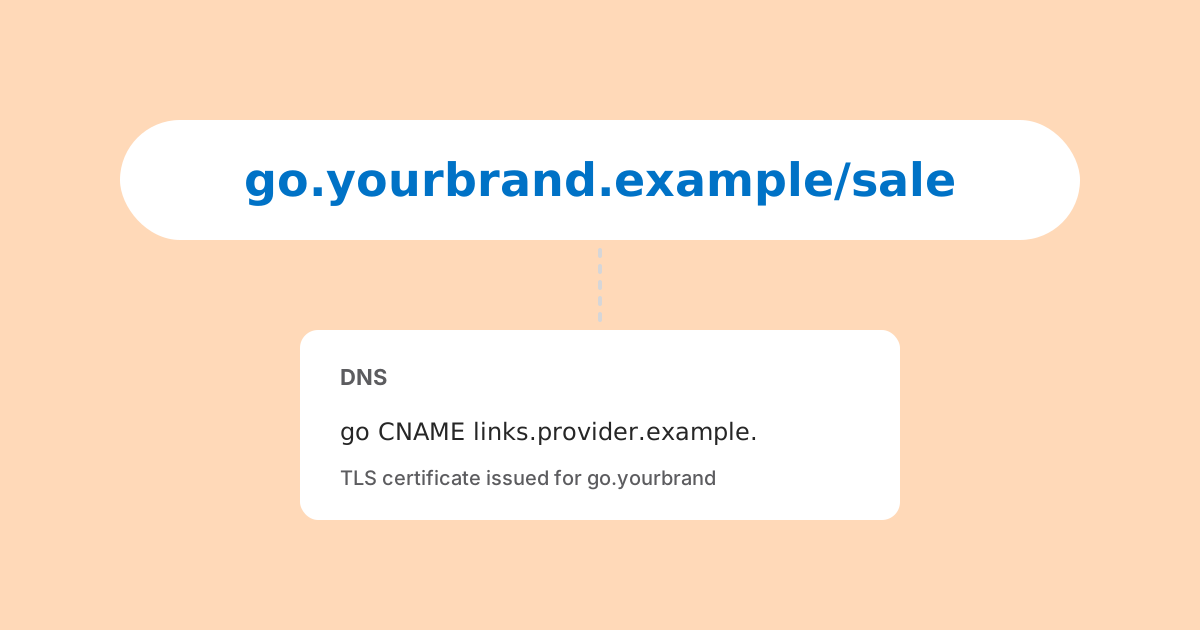
A custom short domain is a domain you own, used for the short links you hand out. Instead of a link on a shortening service's own domain, people see something like go.example.com/spring or exmpl.co/menu. The service still does the redirecting; the address in front of it is yours.
To be clear from the start: LinkMint does not offer custom domains. Its short links live on LinkMint's own domain. This post explains what custom short domains involve, so that if you need one you can choose a service that offers it with your eyes open, and if you don't, you know what you are not missing.
Why people want them
Two reasons come up, and they are worth separating because they lead to different decisions.
Recognition
People have been told, sensibly, to be wary of links when they cannot see where they lead. A short link on a domain that obviously belongs to the sender is easier to trust than one on a generic shortener. That matters most where there is no other context: printed material, a QR code on a poster, an SMS from a number the reader does not recognise.
Control
The less obvious reason is ownership. When your short links sit on someone else's domain, their continued existence depends on that service. When they sit on your domain, you control the address. If the service shuts down, changes its terms or prices you out, you can in principle point the domain at another service and recreate the same paths, provided you can get your list of links out. That proviso matters, and it comes back below.
Subdomain or a separate short domain
There are two common shapes. You can use a subdomain of the domain you already have, such as go.example.com or link.example.com. Or you can register a separate, shorter domain, such as exmpl.co, and use the whole thing (the apex, also called the root or naked domain) for links.
| Subdomain (go.example.com) | Separate apex (exmpl.co) | |
|---|---|---|
| Extra cost | None, you already own the domain | A second domain to register and renew |
| Length | Longer | As short as you can find |
| Recognition | Clearly yours | Only recognisable if people know it |
| DNS record | CNAME, usually | A records, or ALIAS where supported |
| Risk if it lapses | Low, tied to your main domain | Every link breaks if renewal is missed |
For most organisations the subdomain is the better choice. It costs nothing extra, it is unmistakably yours, and it renews along with your main domain. A separate short domain is worth it mainly when length genuinely matters, and only if someone owns the job of renewing it.
The DNS involved
Connecting a domain to a link service means telling DNS that requests for that name should go to the service's servers. How you do that depends on whether you are using a subdomain or an apex.
A subdomain: CNAME
For a subdomain, the usual record is a CNAME, which says "this name is an alias for that name". The service gives you a hostname to point at, and you add one record at your DNS provider.
go.example.com. 3600 IN CNAME custom.shortener-provider.example.The advantage of a CNAME is that the service can change its own IP addresses without you touching anything, because your record points at their name, not their addresses.
Pick a subdomain that is not already in use. If go.example.com already serves something, a CNAME cannot simply be added alongside it, and replacing the existing record will take down whatever was there. Check your current DNS zone before you start, and note the TTL (the 3600 above is one hour): changes can take up to that long to reach everyone who has the old answer cached.
An apex: A records or ALIAS
A CNAME cannot sit at the apex of a domain. The DNS rules in RFC 1034 say a name with a CNAME cannot have any other records, and the apex must carry other records (at minimum SOA and NS). So for exmpl.co itself you have two options.
- A records (and AAAA for IPv6) pointing directly at IP addresses the service gives you. This works everywhere, but if the service's addresses change, you have to update the records.
- An ALIAS, ANAME or "CNAME flattening" record, if your DNS provider supports one. These are provider features, not a standard record type: the DNS provider looks up the target name and answers with its addresses, so you get CNAME-like convenience at the apex.
Many services also ask for a verification record, often a TXT record with a token, to prove you control the domain before they will serve it. That is reasonable and worth expecting.
RFC 1034, section 3.6.2, sets out the rule that a CNAME cannot coexist with other data at the same name. Read RFC 1034
Certificates: the part that has to just work
Short links must work over HTTPS. Browsers increasingly warn about or upgrade plain HTTP, and a link that triggers a certificate warning is worse than no link at all. That means the service needs a valid TLS certificate for your domain, not just for its own.
Good services handle this automatically, typically using the ACME protocol (RFC 8555) to obtain certificates from a certificate authority such as Let's Encrypt and renewing them before they expire. To prove control of the domain, ACME uses challenges: an HTTP challenge, which works once your DNS already points at the service, or a DNS challenge, which needs a TXT record.
Two things can block issuance. If your domain has CAA records (RFC 8659), they list which certificate authorities may issue for it, and the service's authority needs to be included. And if DNS is not yet pointing at the service, an HTTP challenge will fail, so expect a short delay between adding the records and the domain working over HTTPS.
The trade-offs nobody mentions
Custom domains are useful, but they move responsibility onto you. Before setting one up, be honest about these.
- Renewal is now your problem. If a dedicated short domain lapses, every link on it stops working, and someone else can register the domain and put whatever they like behind your printed links.
- Ownership only helps if you can leave. Controlling the domain is worth little if the service will not let you export the full list of paths and destinations. Without that list you cannot recreate the links elsewhere.
- Reputation is yours too. On a shared shortener domain, abuse by other users can affect how filters treat links. On your own domain, you are insulated from that, but anything sent under your domain reflects on you, including links a colleague made carelessly.
- Dangling records are a security risk. If you stop using a service but leave the CNAME pointing at it, someone may be able to claim your subdomain on that service and serve their own content on your name. When you leave, remove the record.
- It is one more thing to set up and document. DNS, verification, certificates and the provider account all need an owner who still knows about them in two years.
What to look for in a provider
If you decide a custom domain is worth it, these are the questions that separate a sound setup from a fragile one.
- Automatic HTTPS, with certificates issued and renewed for you.
- Support for both subdomains and apex domains, with clear instructions for each, including ALIAS where your DNS provider has it.
- A complete export of your links (path, destination, creation date) in a plain format such as CSV, available whenever you want it.
- Sensible redirect behaviour. Temporary redirects (302 or 307) are the norm for short links that might change; permanent ones (301 or 308) can be cached by browsers. Make sure you know which you get.
- Query strings preserved exactly, so UTM tags and other parameters reach the destination intact.
- A clear statement of what happens to your links if you stop paying or the account closes.
- Honest data practices. If the service counts clicks, find out what it records about the people clicking and whether that fits your privacy policy.
When you can do without one
A custom short domain is not essential for everyone. If your links are mostly behind buttons in emails or on your own site, nobody sees the address. If you can put context around the link ("scan to see our menu" beside a QR code, your organisation's name next to a printed link), much of the recognition problem goes away.
LinkMint is built for that simpler case. Short links live on LinkMint's own domain, need no account, keep query strings byte for byte, use HTTP 302 redirects, never expire and never recycle a code. Nothing is recorded when someone follows one. And anyone can check a link's destination before visiting by putting + in front of the code, which goes some way to answering the "where does this go?" question that branded domains are trying to solve.
What LinkMint cannot give you is the control described above: the links are on its domain, so you cannot move them elsewhere. If that portability matters to you, or if your printed links need your name on them, a service that offers custom domains is the right tool, and the checklist above is how to choose one.
In short
- A custom short domain puts your name on your links and, if you can export them, lets you move providers without breaking printed material.
- Use a CNAME for a subdomain. At the apex, use A records or a provider's ALIAS feature, because a CNAME is not allowed there.
- Expect automatic certificates via ACME, and check any CAA records.
- Own the renewal, keep an export, and remove DNS records when you leave a service.
- If you don't need any of that, a plain shortener with honest behaviour is enough.
Related reading
- Short Links Are More Than Fewer Characters
Shortening is the least interesting thing a short link does. A good one is readable, hard to mistype, permanent, checkable before you tap it and quiet about who follows it. Here is what that is worth, and what it deliberately leaves out.
- What Makes a Good URL Shortening Platform?
Not the feature list. The questions worth asking are about what happens when things go wrong, and almost none of them appear on a comparison page. Here they are, with our own answers.
- 301 vs 302 Redirects: Which Should a Short Link Use?
A 301 invites browsers and caches to remember the answer; a 302 asks them to check again. For short links that difference decides who stays in control, even when the destination never changes.